Problem Space — Envisioning the Future State
In line with the OMNI-Channel Web Platform product vision, the goal was to build awareness of each customer's full footprint — across all channels, visible to every rep — so they could identify potential leads, honor previous commitments, and continue conversations without starting from zero.
Previously, only the call center had a note creation tool at all, and even that was a legacy Windows application with a painful UI. Most reps left notes nearly blank. Every other channel had nothing.
The omni-channel service model was compromised at the data layer.
Only minimal notes were captured due to the complex, click-heavy UI.
Agents couldn't verify a previous agent's promise or advice.
Finding a past interaction was time-consuming and unreliable.
Channel-specific UI customization to address different rep workflows.
Reduce manual note entry — promote automated note capture where possible.
Simplified, low-friction procedure that requires minimal training.
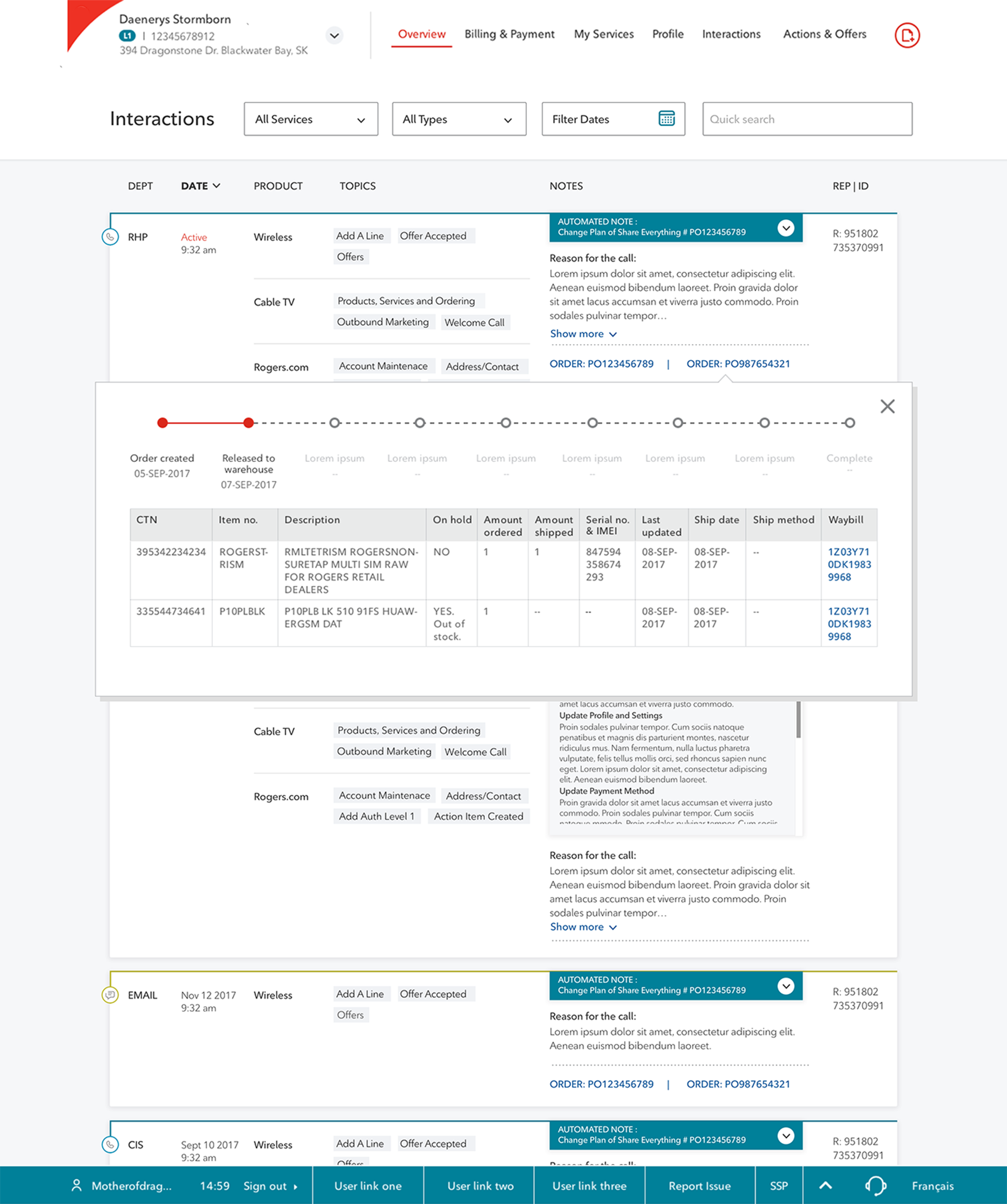
Interaction data as the central record linking to associated orders, cases, and tickets.
Project Outcome
I was the primary and lead experience designer driving the complete user-centered design process — from research and focus groups, through ideation, wireframing, and usability testing, to final mocks.
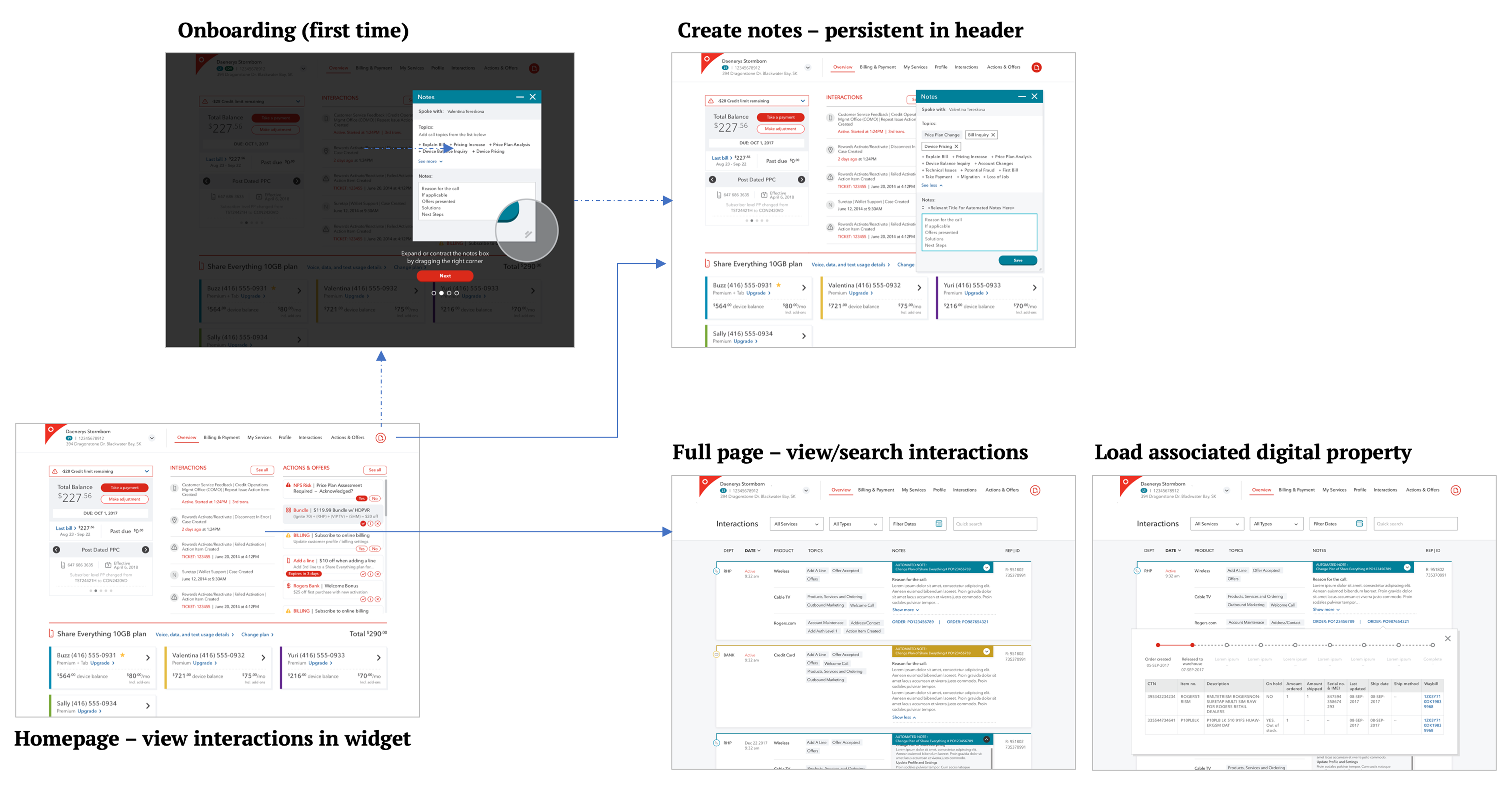
The overall experience model spans multiple modules within the platform, bringing together notes tracking, note creation, case/ticket/order tracking, and notes automation into a coherent system:
Research
Feedback Sessions with Frontline Reps
To fully assess the legacy Windows-based interaction tool and understand call center reps' pain points, I partnered with the Product Owner to run an agent feedback session. We captured a wide range of issues and turned them into early experience objectives for the project.
We also reviewed real interaction notes that reps had created in their daily work. The patterns were telling: most fields left blank, incorrect topic selections, missing transfer records. One root cause stood out — selecting an interaction topic required an excessive number of clicks, so reps would simply skip it.

Online Study
We also explored modern capabilities — automation, AI-assisted compose, rich text, and infographic-style summaries — to map out what was technically feasible for reducing the manual effort required to create meaningful interaction notes.
Ideation
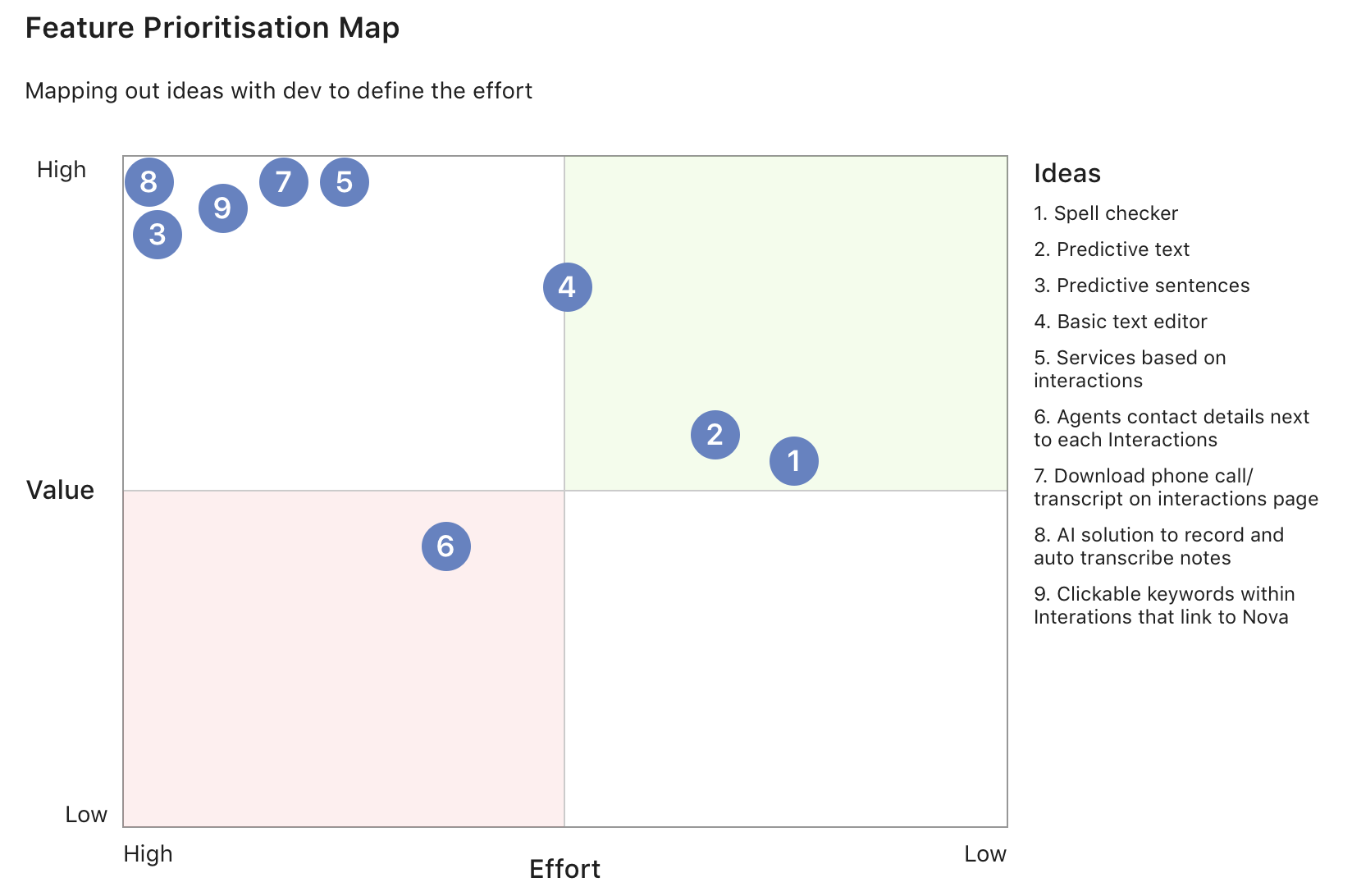
Given the breadth of this initiative, both my assisting designer and I spent significant time generating ideas through conversations with business stakeholders, frontline reps, and product owners. We then ran group sessions to prioritize the most impactful ideas by effort and value.
Information Architecture
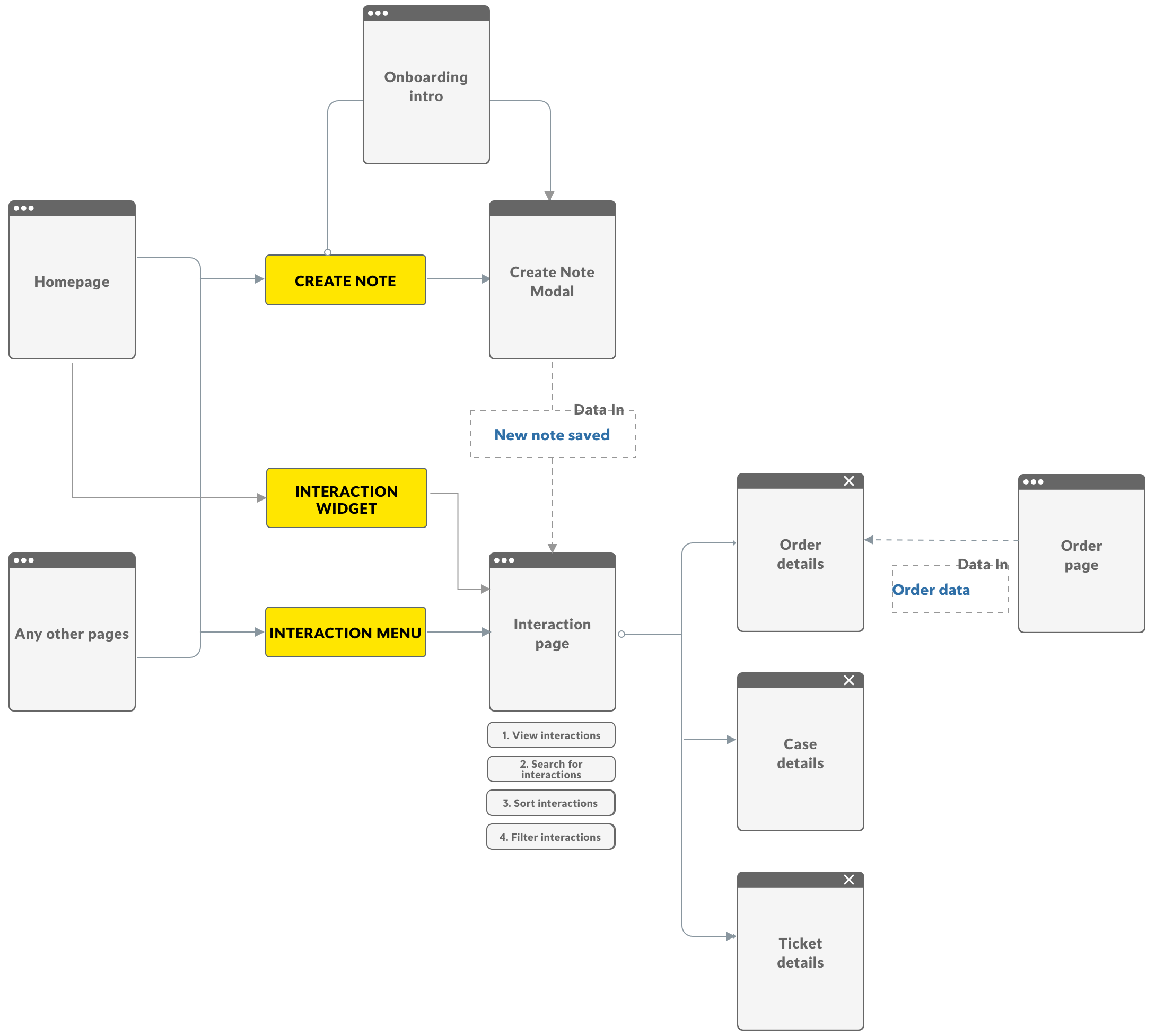
The IA was designed around four core principles:
A full-function page covering all searching, filtering, and sorting needs.
A shallow-access note creation surface — callable from any screen, parkable mid-session.
Interaction records as the central data node linking to associated cases, orders, and tickets.
Wireframe
Interaction Creation
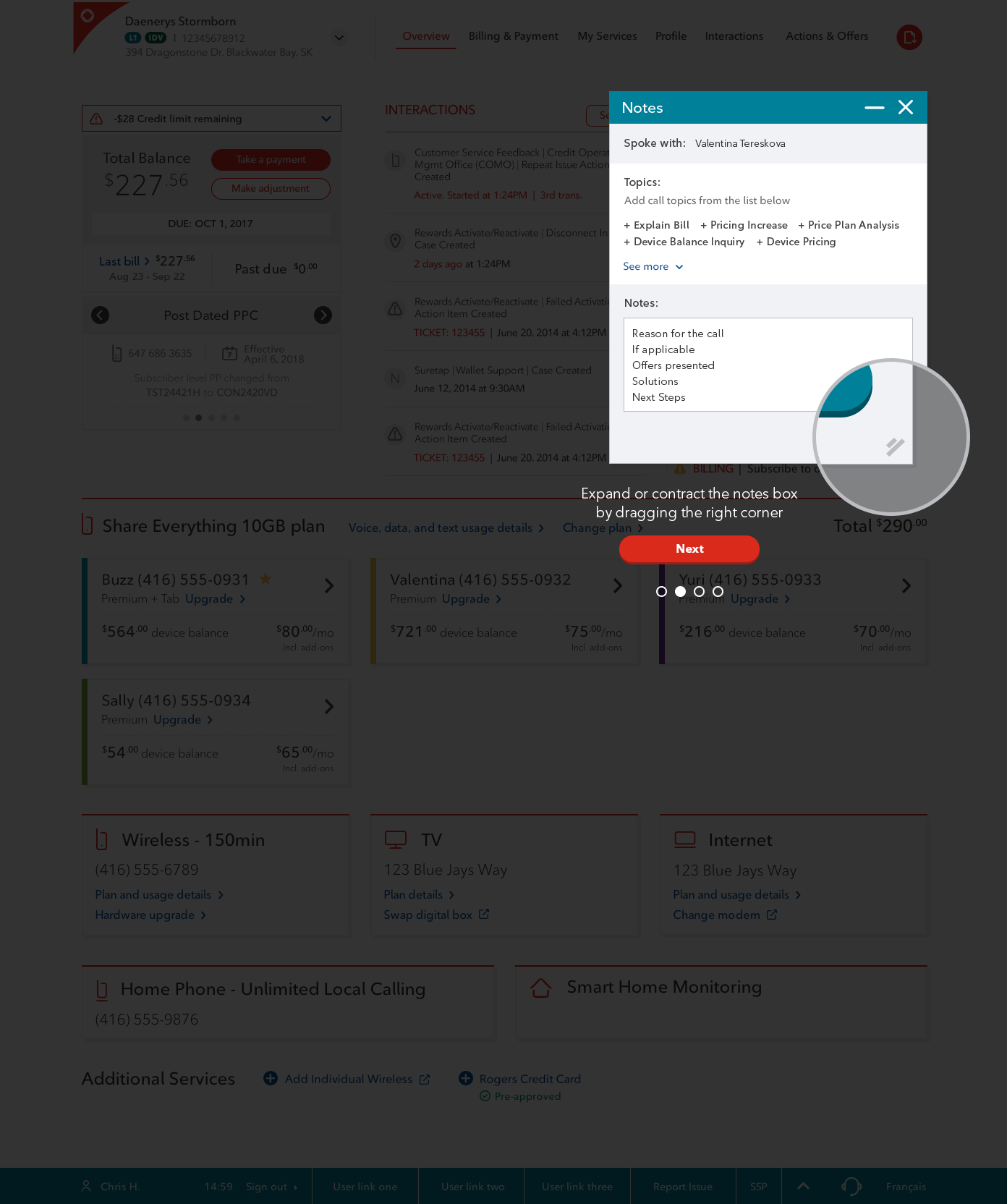
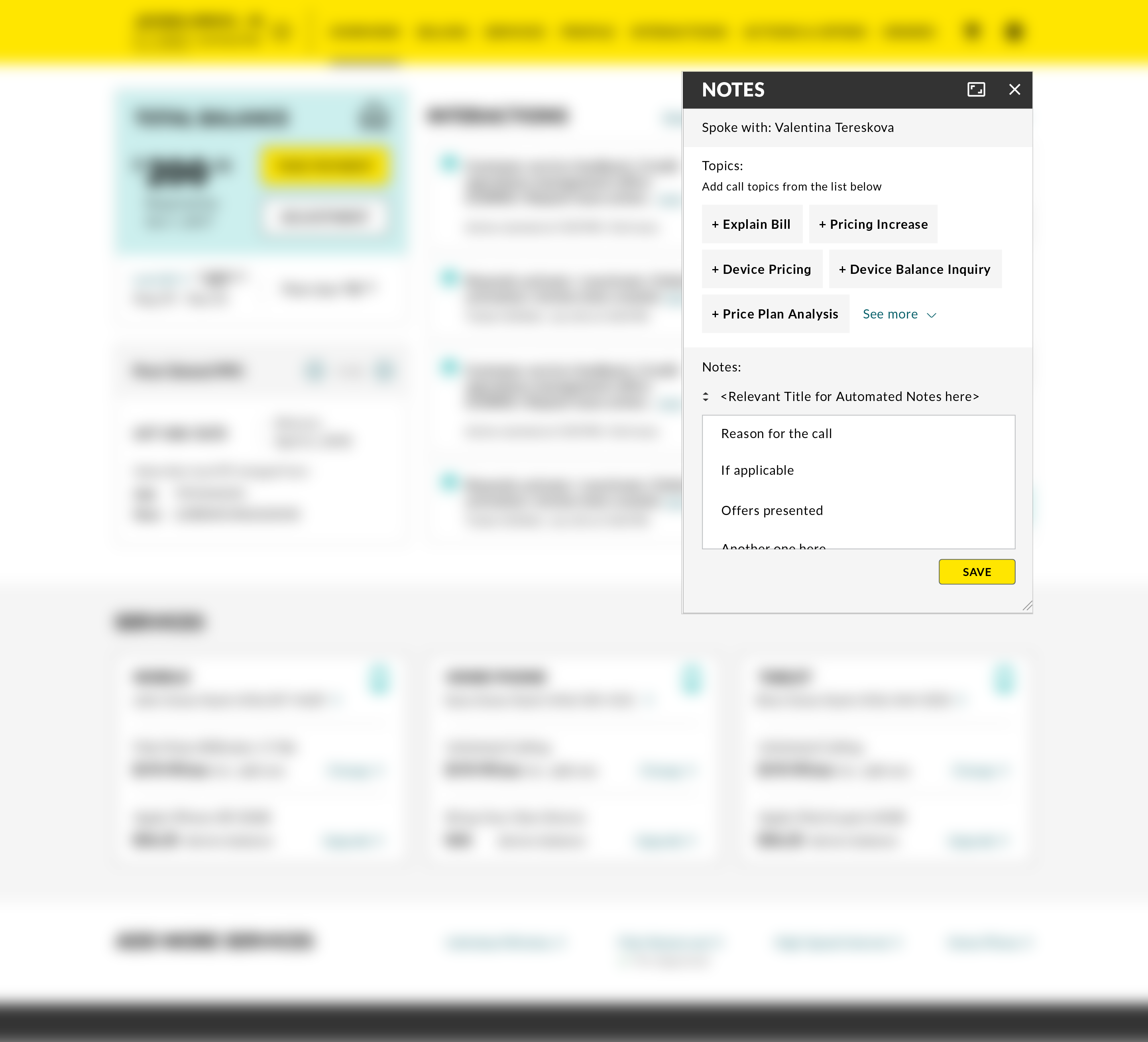
The creation UI lives in a modal overlay — so reps can take notes while simultaneously working through a transaction in the same browser window. The old multi-click topic selection is replaced by a single-tap tag element, with the system auto-populating account attributes to reduce manual entry.
A key concept is smart assisted compose: keywords or hotkeys trigger a predicted suggestion list based on context, and any actions taken during the session (orders, quotes, offers presented) are automatically captured in the modal.
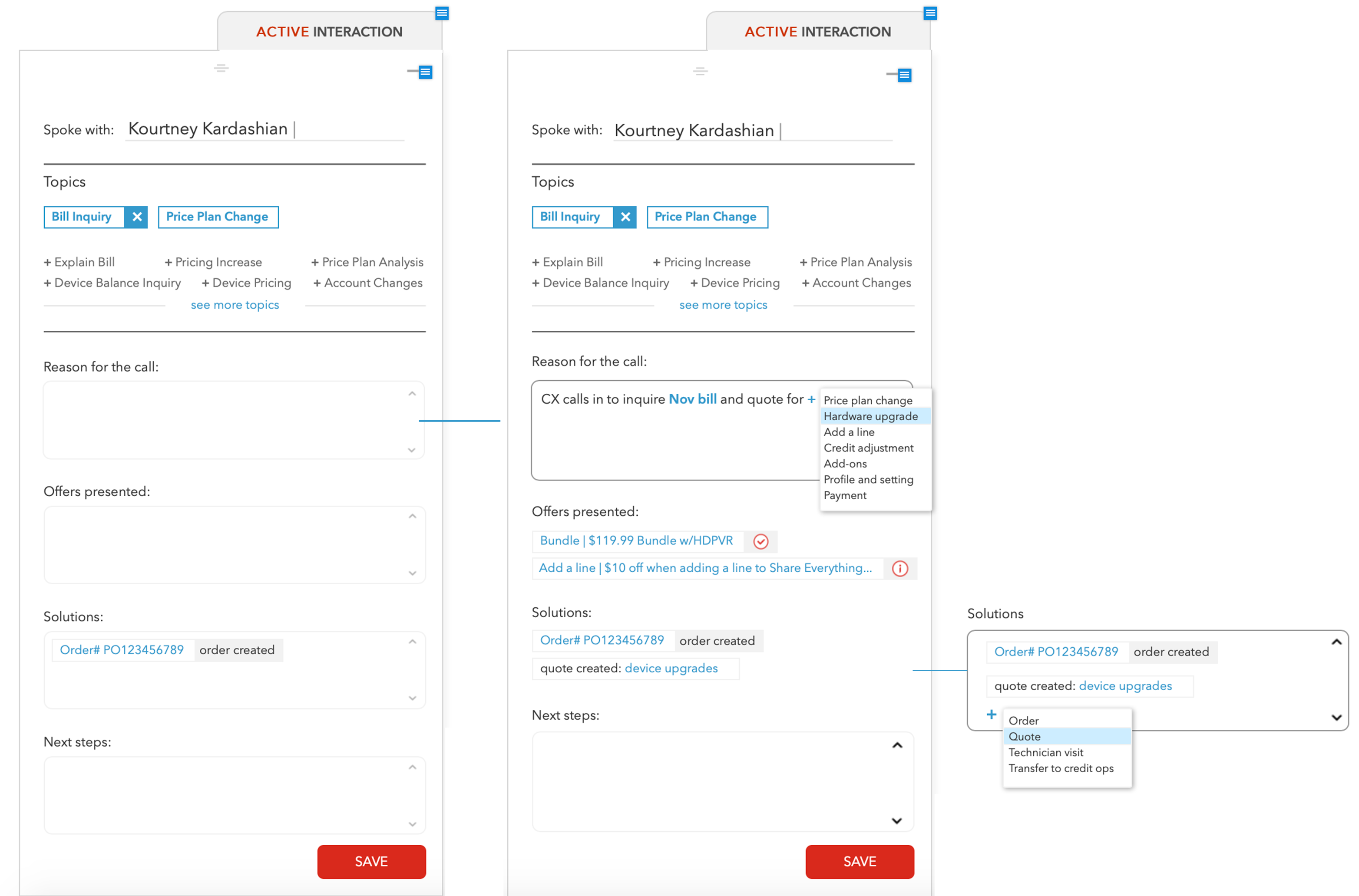
After reviewing the concept with the development team, we scoped an MVP: build the core modal structure first, implement content automation in a later phase.
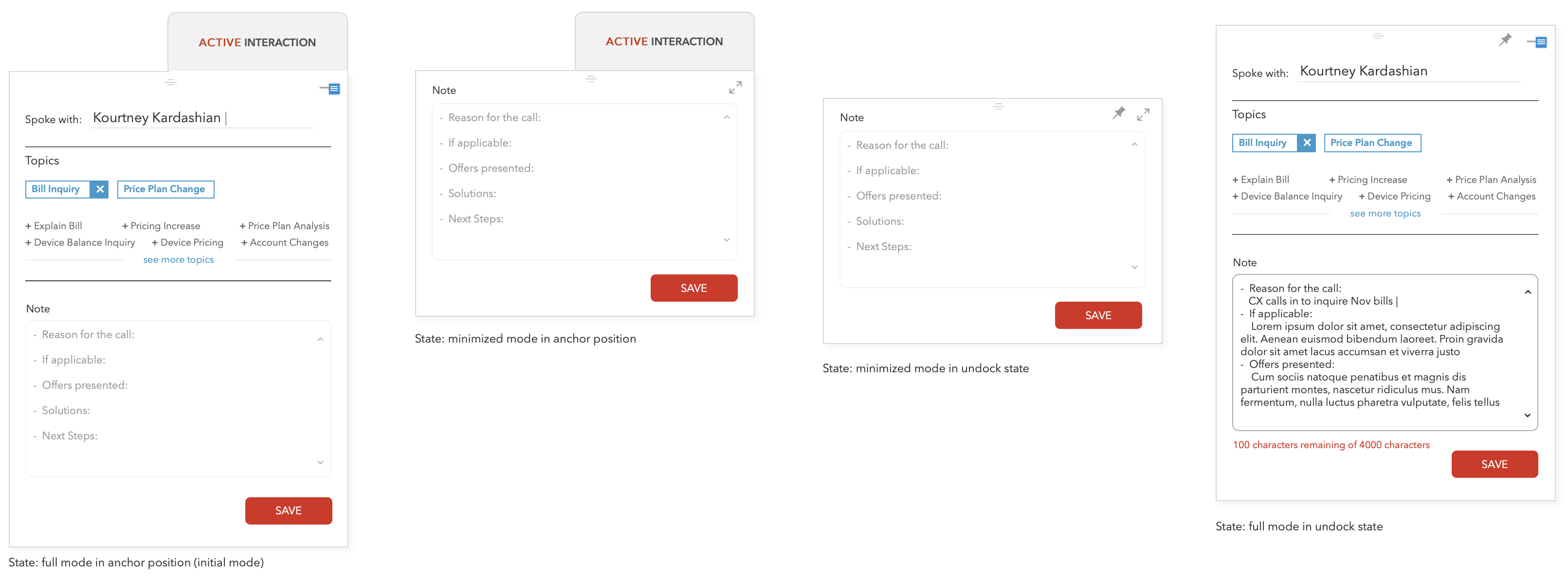
View Interaction
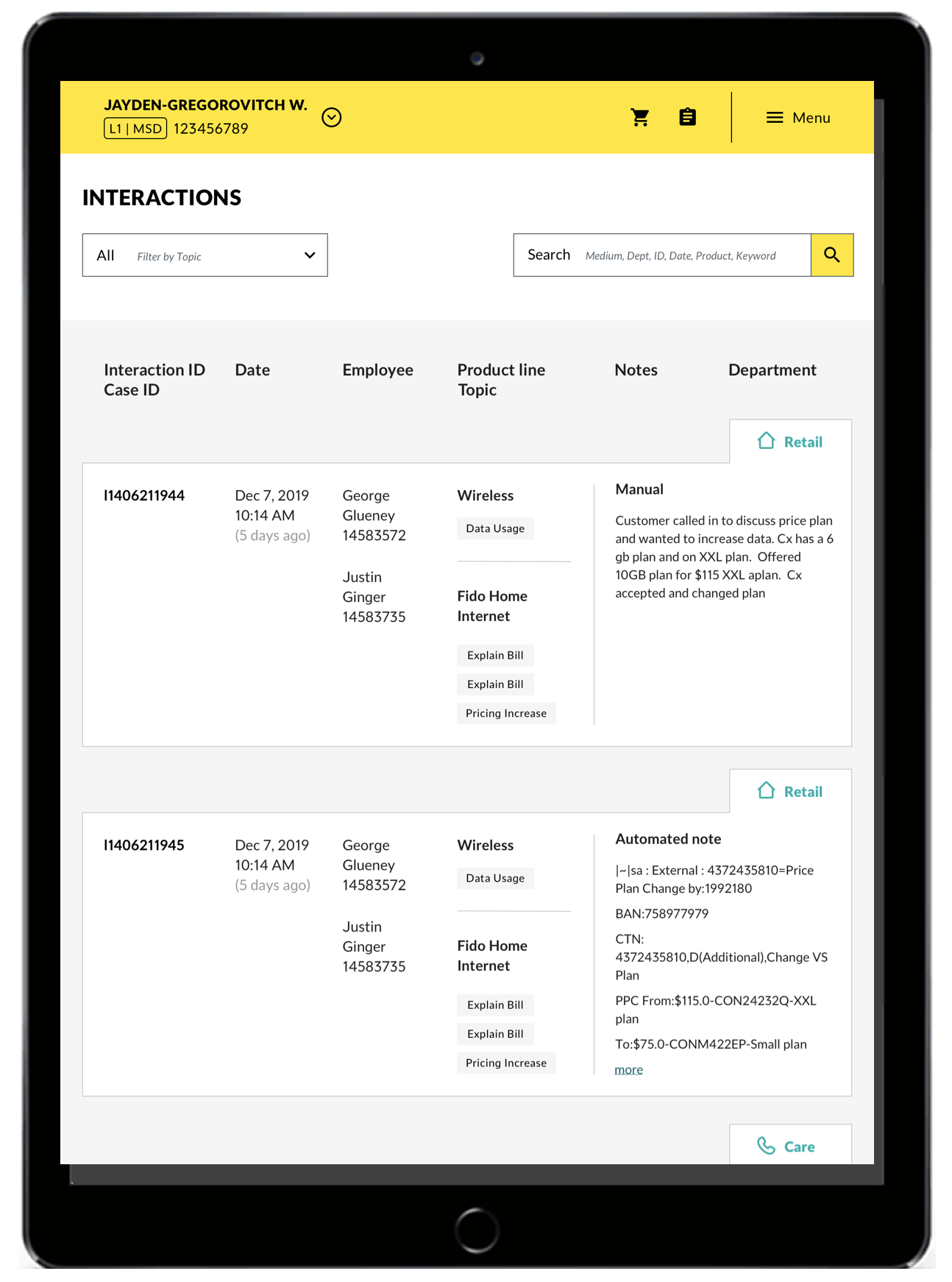
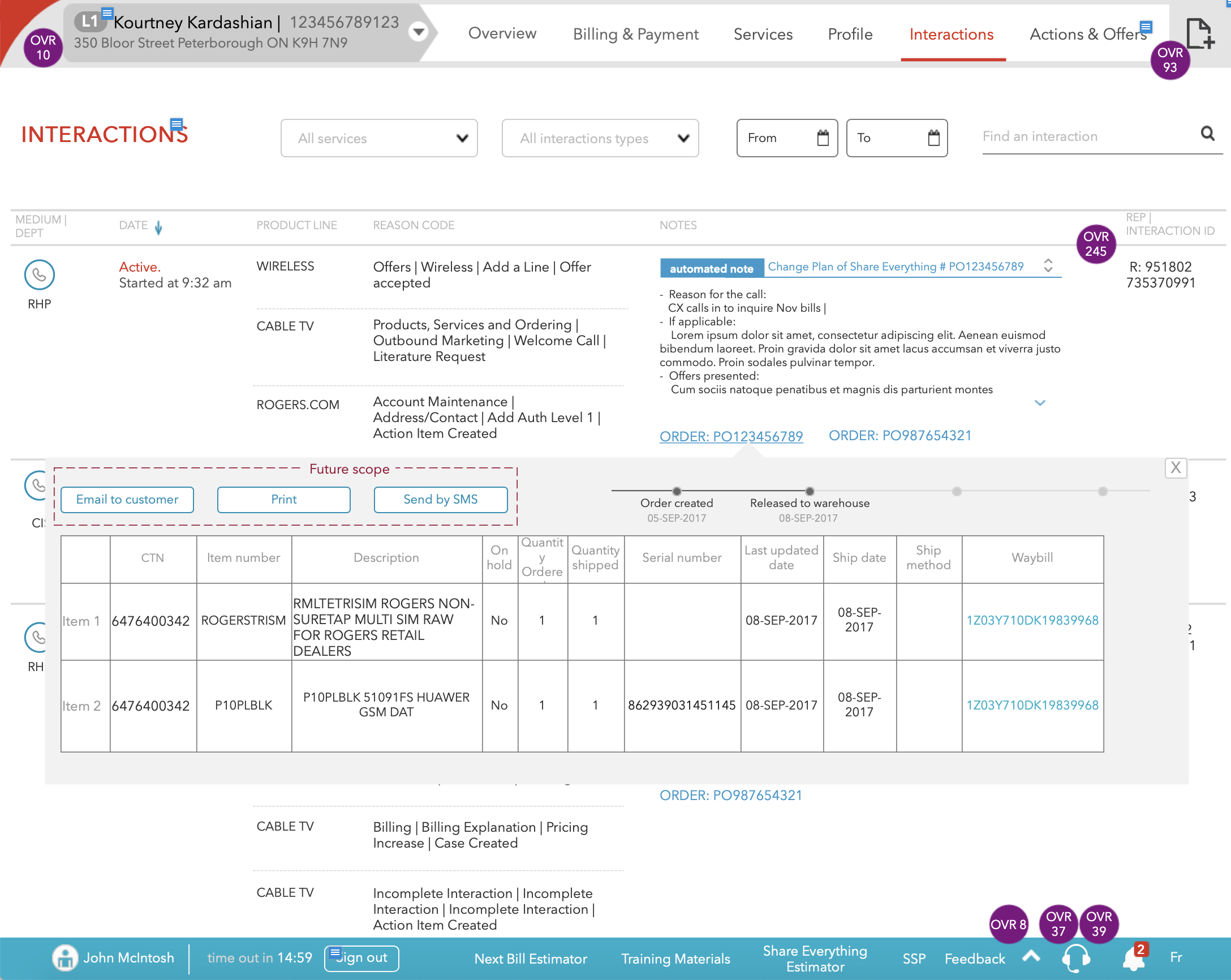
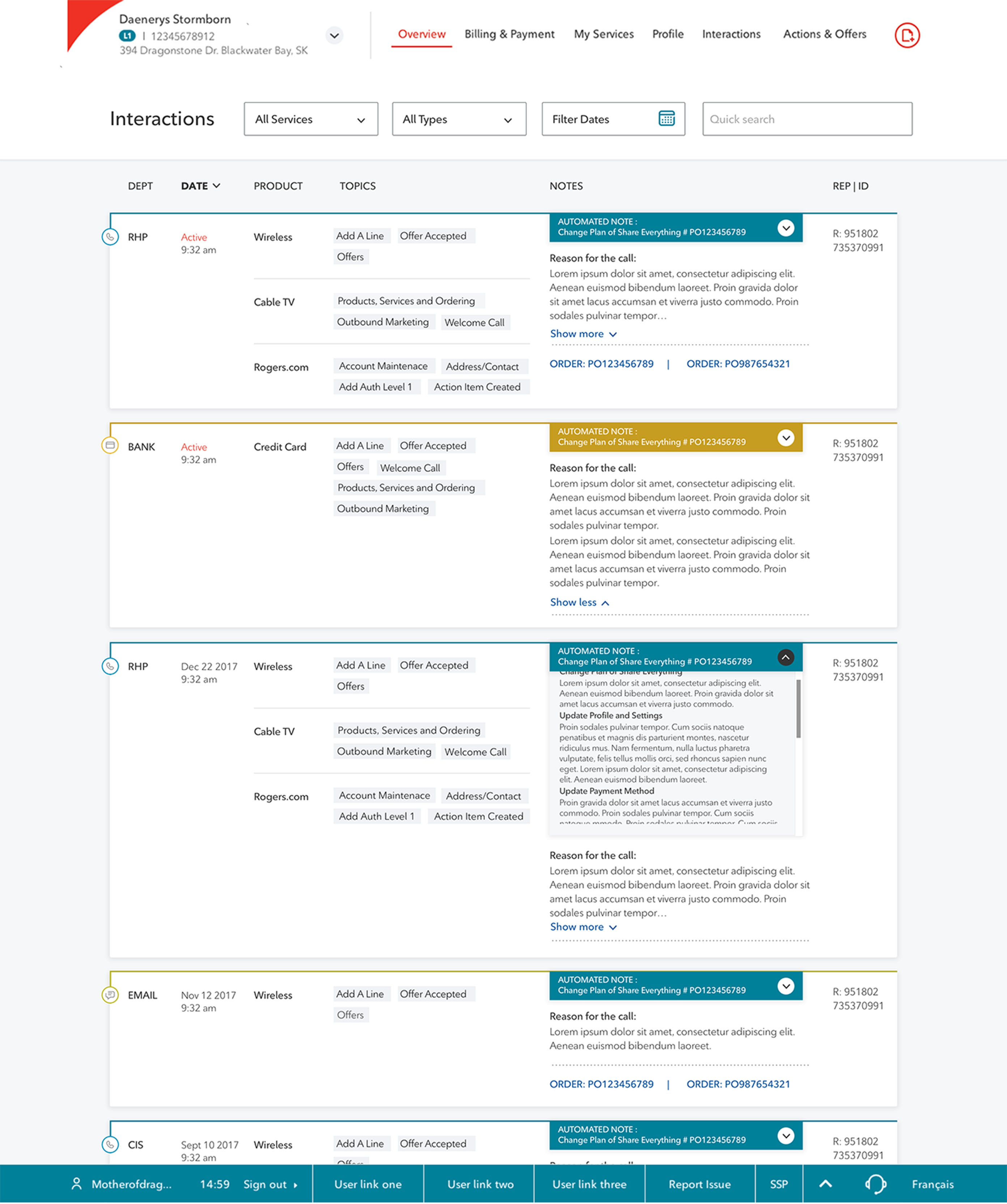
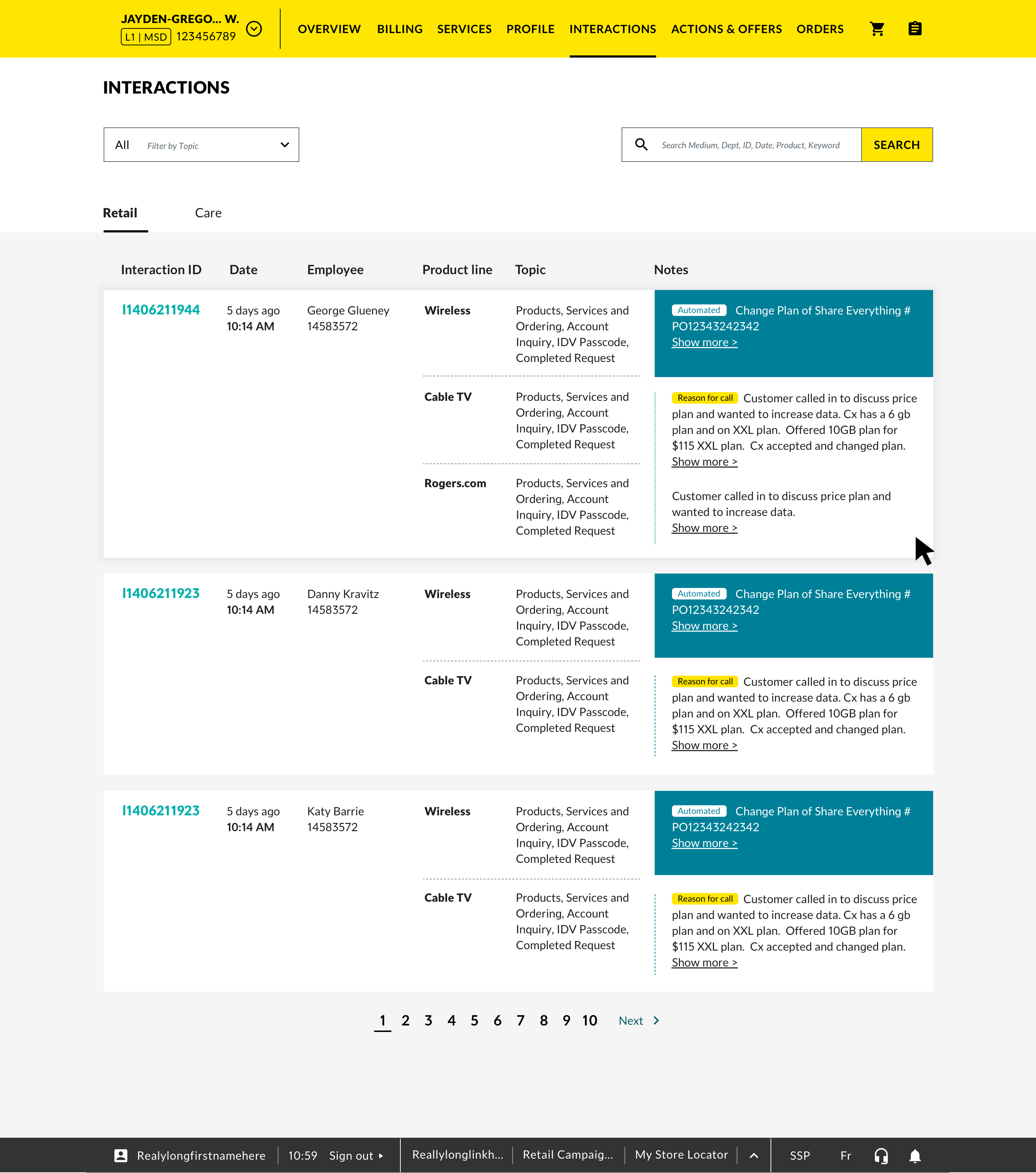
The full interaction page provides a detailed record view — channel, date, line of business, topic, automated notes, manual notes, and associated orders, cases, and tickets — with full search, filter, and sort capability.

Integration with Other Assets
A key design decision was componentizing the interaction content viewer so it could be shared across Order, Case, and Ticket full pages — building it once and keeping the experience consistent everywhere a rep needs to see interaction context.
Final Mocks
Brand A
Interaction creation modal, launched from the header:
Interaction page:
Brand B
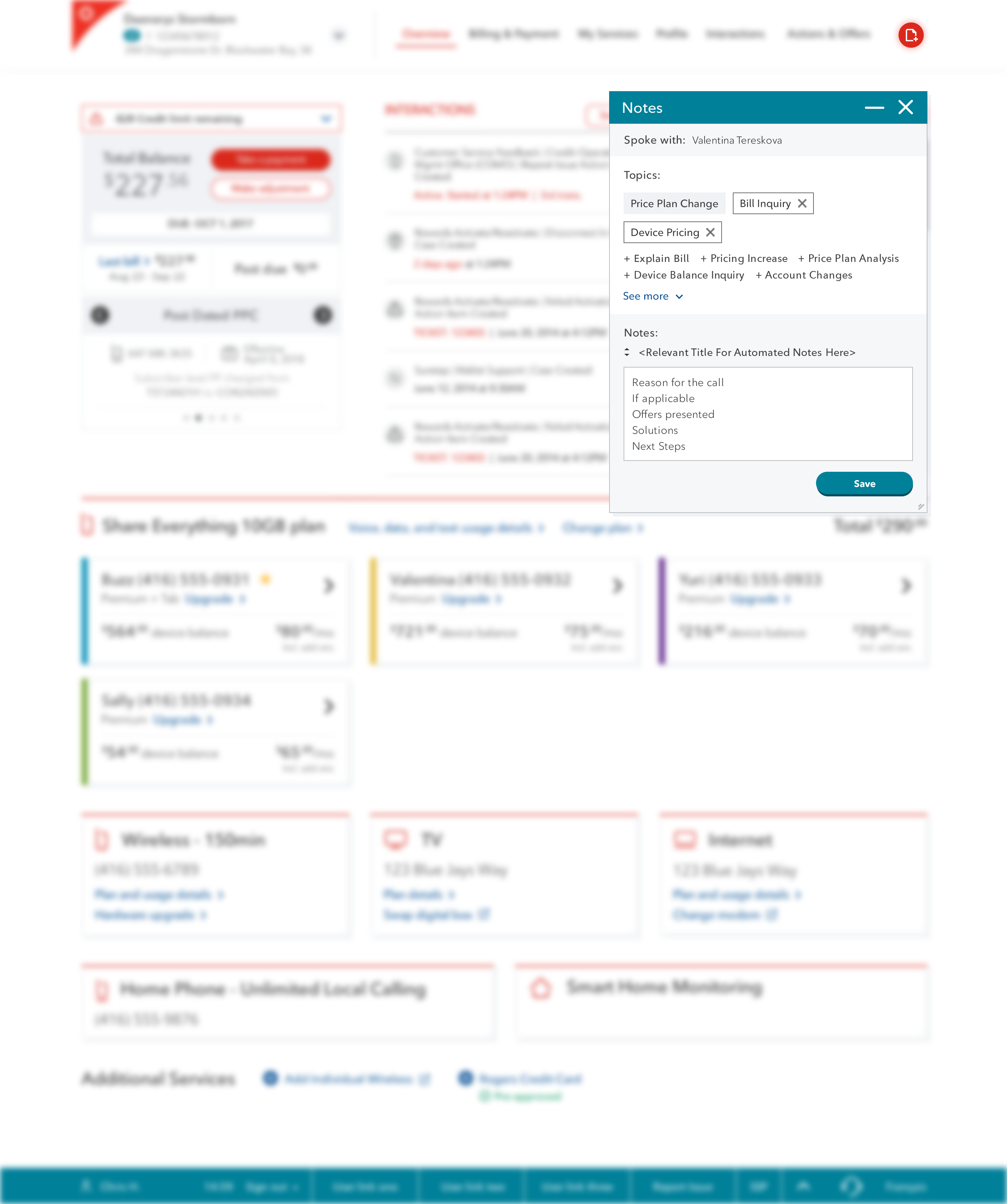
Interaction creation modal, launched from header:
Tablet view: